Welcome to our forums. For the best in R/C submarine kits, components and accessories, be sure to visit the Nautilus Drydocks
If this is your first visit, be sure to
check out the FAQ by clicking the
link above. You may have to register
before you can post: click the register link above to proceed. To start viewing messages,
select the forum that you want to visit from the selection below.
How To Adapt The 'New' 2.4gHz Gear To R/C Submarines
I hate to sound like one of those bleeding deacon know it all's, but I've been doing it for 6 years now.
IF you don't have an IPx connector on your RX, you're going to want to pig tail the RX side with a male/female SMB connector.
It's not a matter of if, but when the antenna gets damaged and needs replacement. The skin on that RG178 is THIN.
Unless of course you LIKE soldering to your receiver board on occasion!
I took a hit in the Antenna mast that was hidden in an Aluminum tube from a careless driver which bent said tube perforating the skin. Capillary action and water ingress into the dry hull ended the day.
Don't reinvent the wheel.
Read my article here, which was meant as an addition to Dave's original article that gave us 2.4ghz.
Out of curiosity, is the brass tube glued to the antenna? I wonder what its purpose is.
Nate
Folks,
I hate to sound like one of those bleeding deacon know it all's, but I've been doing it for 6 years now.
IF you don't have an IPx connector on your RX, you're going to want to pig tail the RX side with a male/female SMB connector.
It's not a matter of if, but when the antenna gets damaged and needs replacement. The skin on that RG178 is THIN.
Unless of course you LIKE soldering to your receiver board on occasion!
I took a hit in the Antenna mast that was hidden in an Aluminum tube from a careless driver which bent said tube perforating the skin. Capillary action and water ingress into the dry hull ended the day.
Don't reinvent the wheel.
Read my article here, which was meant as an addition to Dave's original article that gave us 2.4ghz.
Out of curiosity, is the brass tube glued to the antenna? I wonder what its purpose is.
Nate
Nate,
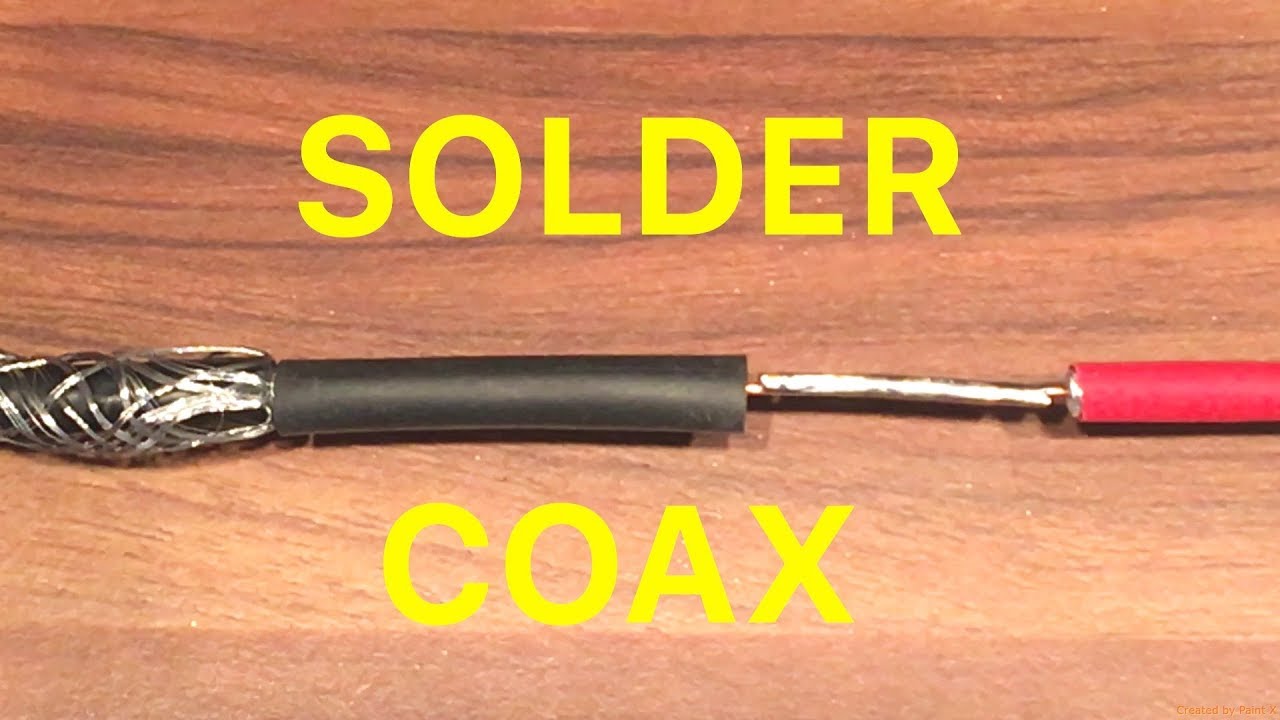
The antenna wire itself is soldered to the brass tube right at the top and that is it. Romel (redboat219) has link that is very interesting. I also checked in with David M. and he said to just do the coaxial cable the way he has the photo laid out, and that is the way i will do mine.
cheapsub. Thank you photo and the link and your input!
My 4 channel 2.4 MHz Radio came with (6) RX (receivers) just like the photos below!
They do NOT have the button adaptor on the receivers. My new coaxial cable will be soldered in the same way at the receiver as per top photo.I was hoping David M. might chime in on this! For now I am going to do the antenna tip (no brass tubing) the same way that Davids photo shows.
I think we have beet this subject matter enough, and I need to get going on it! We will know if I am right or wrong by testing!!!
Remove the tube, do as Dave did, to keep the antenna upright.
This is what I have.
up to more than meter long.
Sorry is from China
if you are nuts like me , always could add a button on the rx, side way pins too.
The photo below shows how my 2.4 MHz receiver antenna is set up.
The below photo shows how David M. explained how to do the coaxial cable for the 2.4 MHz antenna.
My question would be? Is there any reason I need to solder a 3/16" piece of tubing to my new antenna install, or can I just follow what David M. has laid out?
Bob has in stock ready to go with IP adaptor (s/b on the RX board).
Hi Ed,
Thanks for chiming in!
My receivers do not have that IP adaptor, They are soldered. So I could not use the ones that Bob has. But it sounds like the RG178 coaxial cable I have coming will work!
Is it possible to run deeper than periscope depth using a similar set up or are we limited to surface running?
I've got a Thunder Tiger neptune sb-1 submarine with a different camera to the original which I have the aerial extended on a tether to the surface.
Could I do the same with 2.4ghz aerial?


Leave a comment: